
PLAYER GUIDE
How to Play Ascendle
Enter a valid five-letter word and press ENTER. Each guess gives you information that helps you work towards the answer.
Reading the board
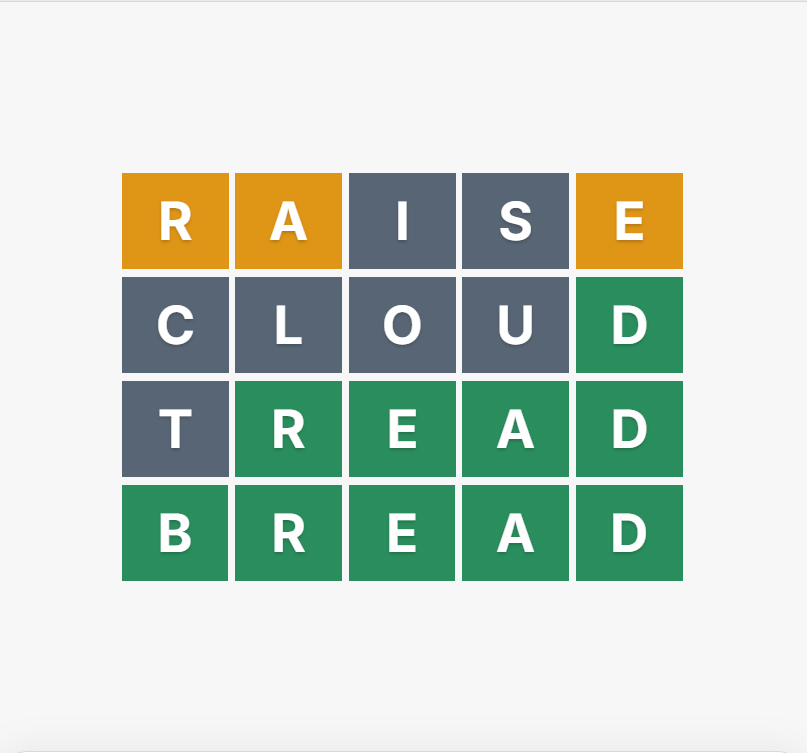
After each guess, the tiles change colour.
- Green means the letter is correct and in the correct position.
- Amber means the letter is in the answer but in a different position.
- Grey means the letter is not in the answer.
Use the pattern of Green, Amber and Grey tiles to decide what to try next.
A new guess can confirm a position, move a known letter, introduce new letters or rule letters out.
The target is not a guess limit
Each level has a target number of guesses.
The target is the scoring reference for that level. It is not the maximum number of guesses you can make.
If the answer is not found by the target, the board adds another row and play continues until the word is solved.
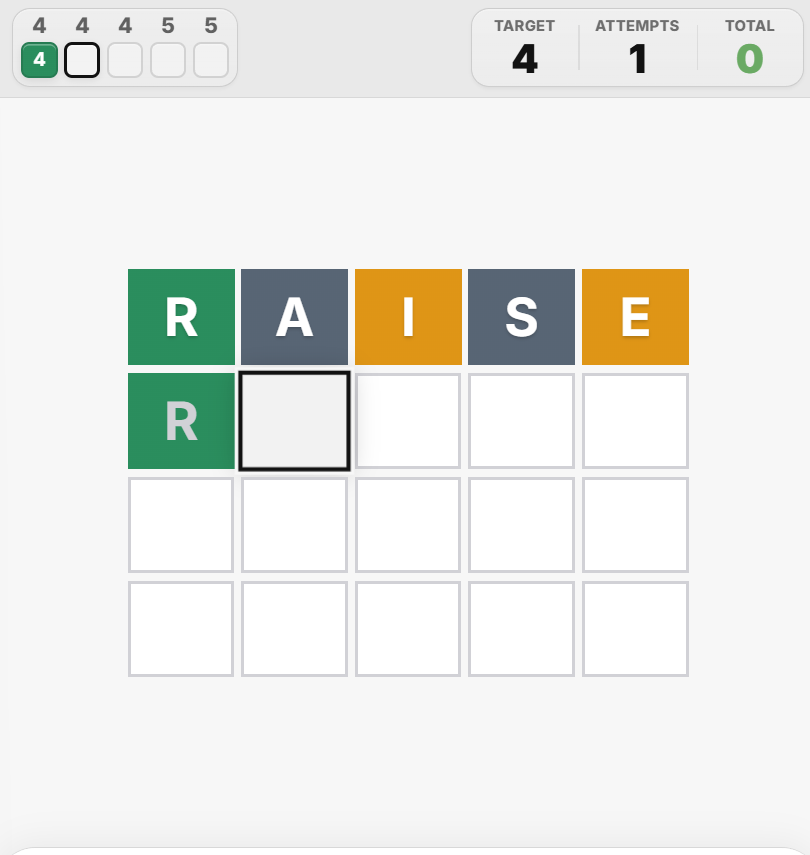
Levels 1, 2 and 3 each have a target of 4. Levels 4 and 5 each have a target of 5.
Across all five levels, the game target is 22 guesses.
How scoring works
Your score for a level is the difference between the number of guesses you used and that level's target.
A solve under target reduces your score. A solve over target increases it.
Each level result is added to your running game total.
The pips record the number of guesses used on completed levels. The score panel shows the target and attempts for the level you are playing, together with your running total.

Your Player Streak
Your final game score determines the medal for the run and whether your Player Streak continues.
Player Streak maintained.
Player Streak maintained.
Player Streak resets.
Working on the active row
Letters can be placed anywhere on the active row. You do not have to type from left to right.
Known Green letters auto-populate on the next row.
Outside Hard Mode, those Green letters can still be overwritten if you want to try something different.
In Hard Mode, known Green letters stay fixed and must be used.
Testing a word shape
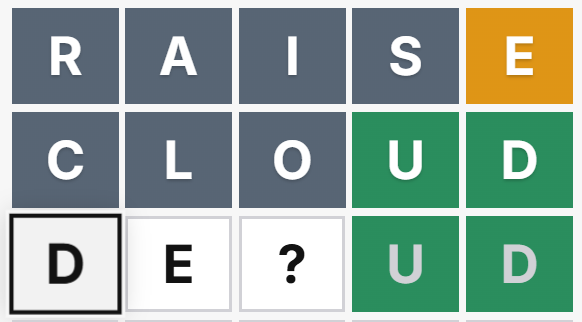
Use the ? key when you want to test letters against the open positions of a possible answer before committing a full guess.
It gives you a quick way to explore a word shape on the active row and see how different letter combinations look.
In the example shown, DE?UD is being tested before the player decides whether to submit the word.
Final score
After Level 5, the End-Game Summary brings the whole run together.
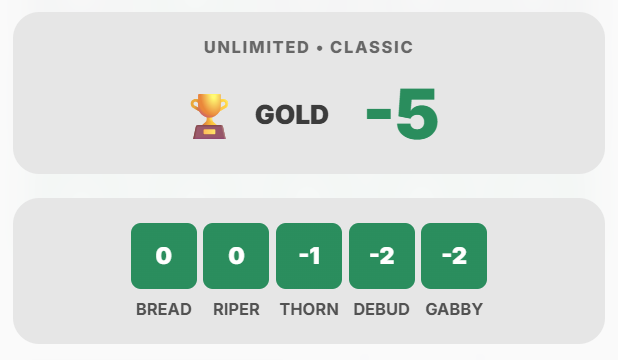
It shows your final score, medal and the contribution made by each of the five levels.
In this example, level scores of 0, 0, −1, −2 and −2 combine for a final score of −5 and a Gold result.
In-game commentary
Ascendle tracks your progress across the five levels so you can see where the run stands as you play.
After each completed level, Ascendle shows the target, attempts, level result and updated game total.
A short piece of in-game commentary reflects your current position in the five-level run.